Monthly Budget Planner for Your Paycheck
Whether you're paid weekly, every two weeks or monthly, start with what actually hits your account. Add each paycheck as income, plan your categories, and the planner shows what's left to assign.
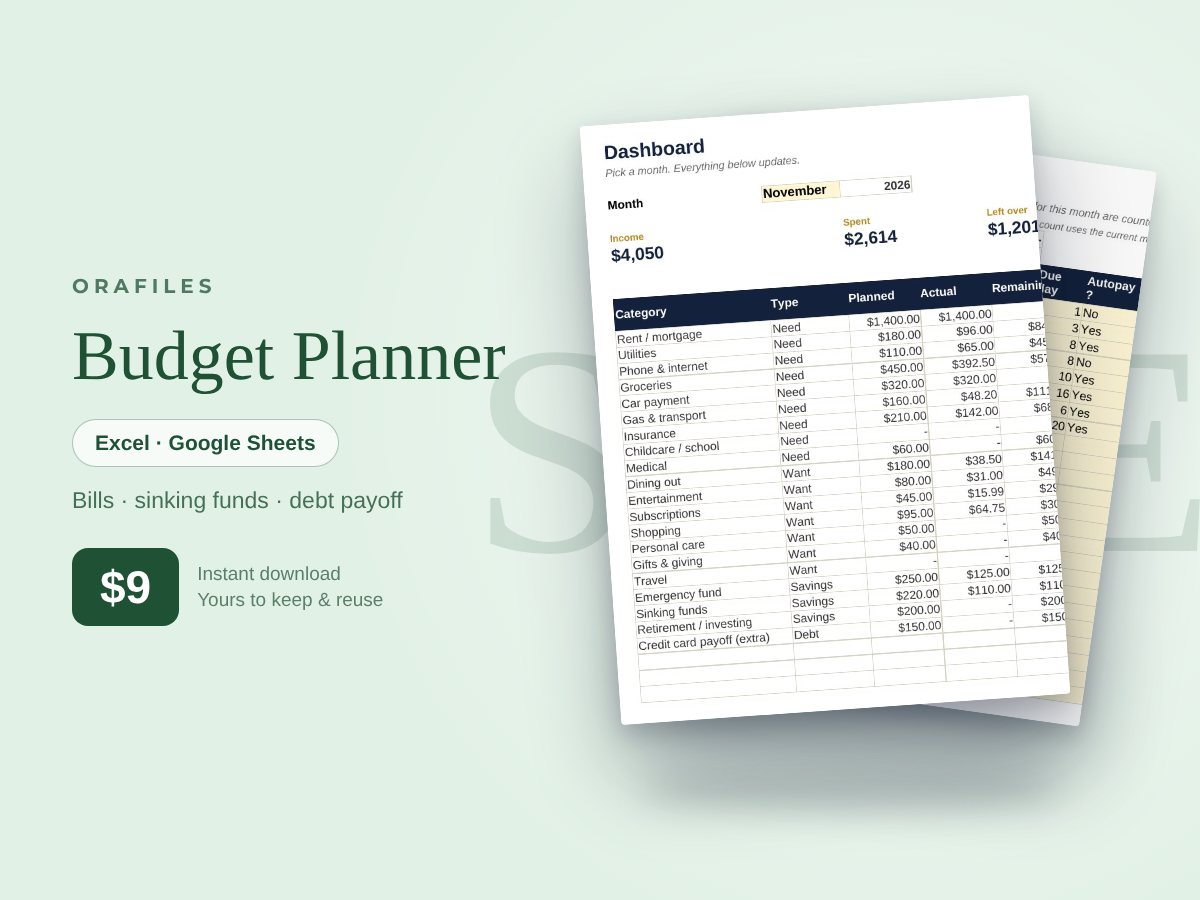
Budget Planner: Bills, Sinking Funds & Debt Payoff
Excel / Google Sheets (.xlsx) · $9 · one-time
Good to know before you buy
- •Opens in Excel, Google Sheets (free) or Apple Numbers. Easiest to set up on a computer.
- •Debt payoff dates are estimates using a fixed APR and payment. This is a planning tool, not financial advice.
- •Digital download. Nothing is shipped. You get the file right after checkout and by email.
- •Sales are final because files are delivered instantly, but if a file is broken or not as described, we'll fix it or refund you within 14 days. Details
Make every paycheck count
- •List income sources (paychecks, side income)
- •Assign every dollar to a category
- •Log spending as it happens
- •Review the dashboard at the end of each month
What you get
- ✓Monthly budget plan with a 50/30/20 check and 'left to assign'
- ✓Dashboard: pick a month, see planned vs. actual and a year overview
- ✓Transaction log with category dropdowns
- ✓Bill tracker: 12-month paid checklist, next due date, unpaid count
- ✓Sinking funds: goals, target dates and how much to save per month
- ✓Debt payoff: months to pay off, interest cost, snowball and avalanche order
- ✓Works in Excel, Google Sheets and Numbers, no macros, no bank login
Frequently asked questions
Do I need to be good with spreadsheets?
No. You type in yellow cells and pick from dropdowns; the formulas do the rest.