Bill Tracker Spreadsheet
Late fees add up. This bill tracker lists each bill once with its due day, then gives you a 12-month paid checklist. The next due date turns orange three days before and red if it's overdue.
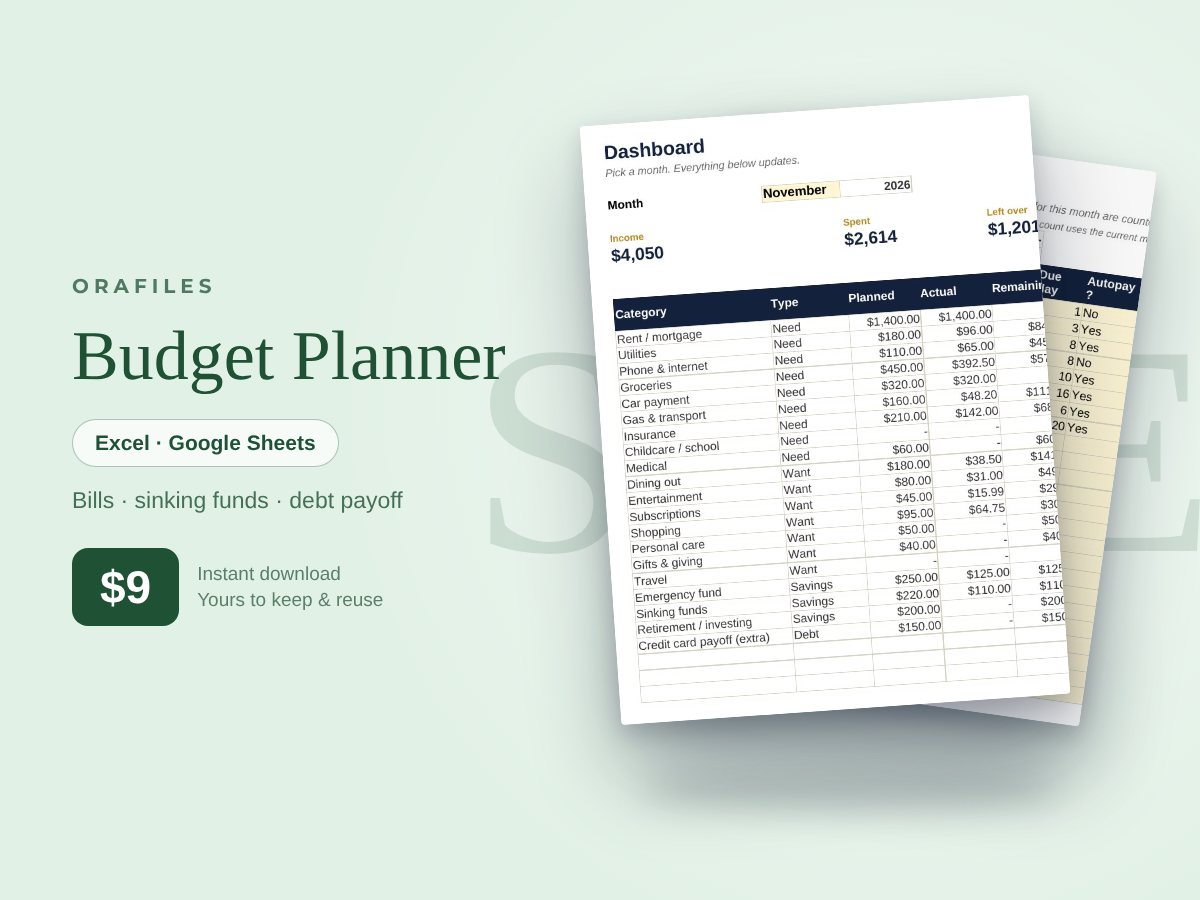
Budget Planner: Bills, Sinking Funds & Debt Payoff
Excel / Google Sheets (.xlsx) · $9 · one-time
Good to know before you buy
- •Opens in Excel, Google Sheets (free) or Apple Numbers. Easiest to set up on a computer.
- •Debt payoff dates are estimates using a fixed APR and payment. This is a planning tool, not financial advice.
- •Digital download. Nothing is shipped. You get the file right after checkout and by email.
- •Sales are final because files are delivered instantly, but if a file is broken or not as described, we'll fix it or refund you within 14 days. Details
Features
- •Bill, category, amount, due day and autopay
- •12-month 'Paid' checklist
- •Next due date with color alerts
- •Unpaid bills this month and total monthly bills
What you get
- ✓Monthly budget plan with a 50/30/20 check and 'left to assign'
- ✓Dashboard: pick a month, see planned vs. actual and a year overview
- ✓Transaction log with category dropdowns
- ✓Bill tracker: 12-month paid checklist, next due date, unpaid count
- ✓Sinking funds: goals, target dates and how much to save per month
- ✓Debt payoff: months to pay off, interest cost, snowball and avalanche order
- ✓Works in Excel, Google Sheets and Numbers, no macros, no bank login
Frequently asked questions
Is it just a bill tracker?
It's part of the full Budget Planner, which also has a monthly budget, dashboard, sinking funds and debt payoff.