Wedding Vendor & Payment Tracker
Between the venue, photographer, florist, DJ and baker, you might have a dozen deposits and final payments due on different dates. The vendor tracker lists them all and puts the next one front and center.
Wedding Budget Planner & Guest List
Excel / Google Sheets (.xlsx) · $9 · one-time
Good to know before you buy
- •Opens in Excel, Google Sheets (free) or Apple Numbers. Easiest to set up on a computer.
- •The starting budget split is a common rule of thumb. Change it to fit your priorities.
- •Digital download. Nothing is shipped. You get the file right after checkout and by email.
- •Sales are final because files are delivered instantly, but if a file is broken or not as described, we'll fix it or refund you within 14 days. Details
For each vendor
- •Status: researching, quote received, booked, paid in full
- •Quote, deposit and deposit due date
- •Final payment due date and whether it's paid
- •Paid to date and balance, calculated for you
- •Days until the next payment
What you get
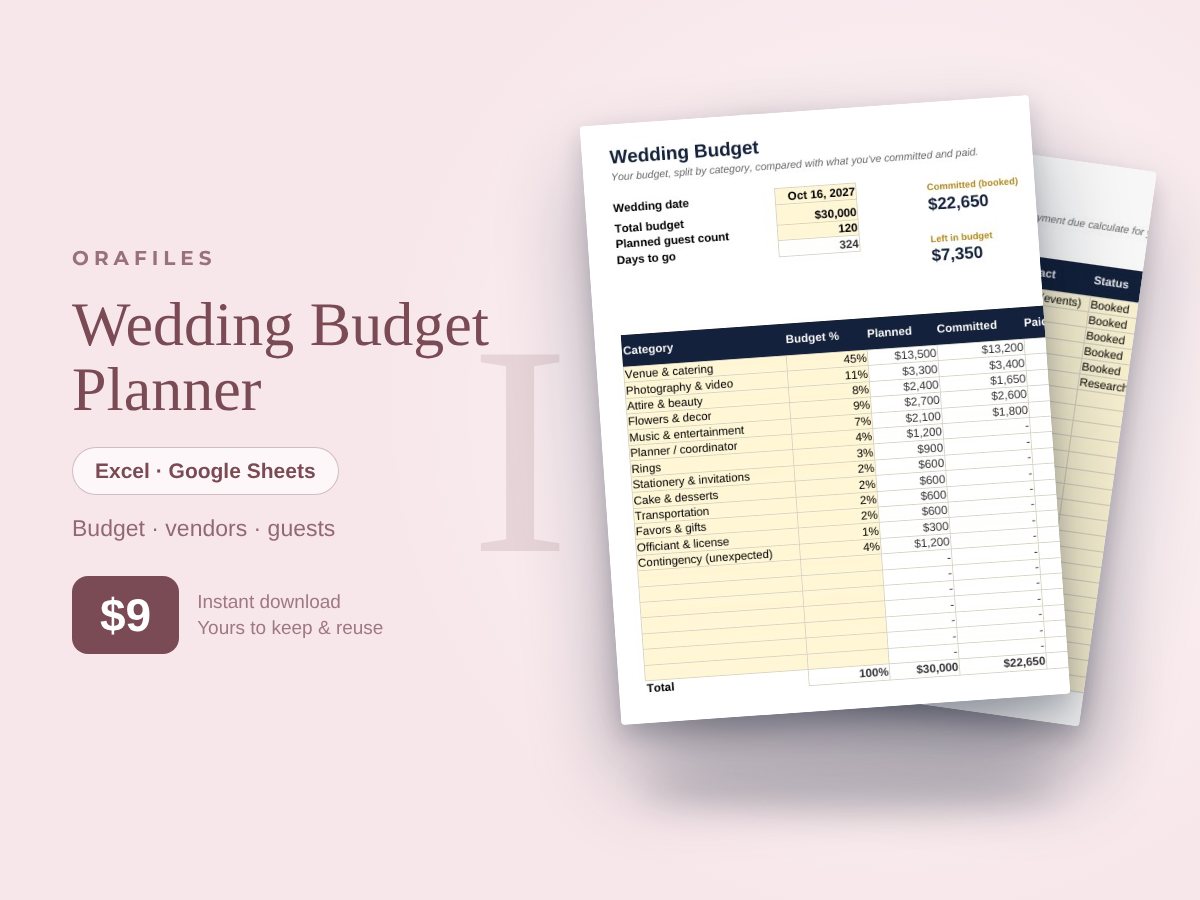
- ✓Budget split across 13 categories, planned vs. booked vs. paid
- ✓Vendor tracker: quotes, deposits, balances and due dates
- ✓Next payment due, with alerts for payments due in 14 days or overdue
- ✓Cost per guest and money left in your budget
- ✓Guest list: RSVPs, meal counts, dietary needs, gifts and thank-you notes
- ✓40-task checklist dated from your wedding date
- ✓Works in Excel, Google Sheets and Numbers, no macros
Frequently asked questions
Do researching vendors count against my budget?
No. Only vendors marked Booked or Paid in full count, so comparing quotes doesn't skew your numbers.