Social Media Plan for Small Businesses
You don't need to post every hour; you need to post consistently and track what brings customers. This plan gives you one post a day for 30 days and a results tab that shows which platform and format actually bring leads.
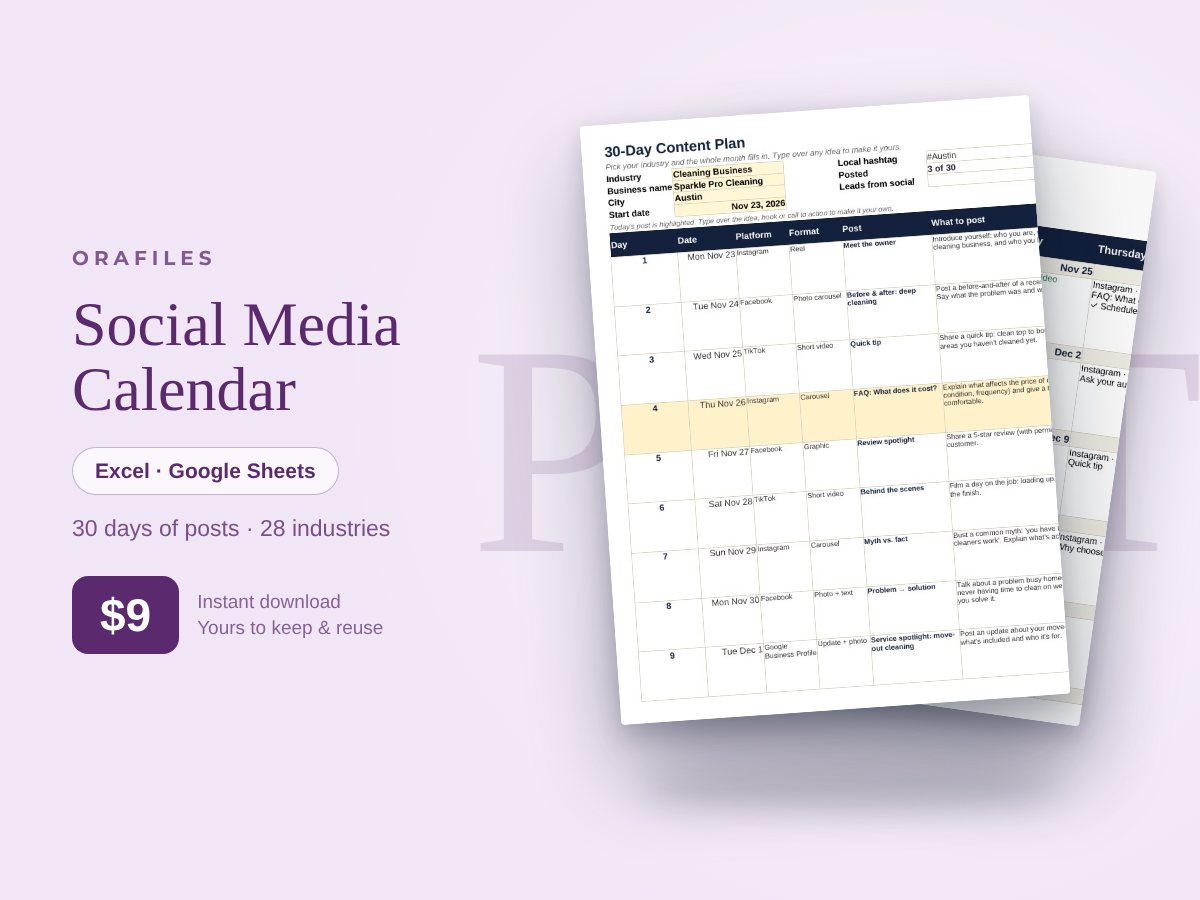
Social Media Content Calendar (30 Days of Posts, 28 Industries)
Excel / Google Sheets (.xlsx) · $9 · one-time
Good to know before you buy
- •Opens in Excel, Google Sheets (free) or Apple Numbers. Easiest to set up on a computer.
- •Post ideas are starting points. Only share customer photos, reviews and stories with their permission.
- •Digital download. Nothing is shipped. You get the file right after checkout and by email.
- •Sales are final because files are delivered instantly, but if a file is broken or not as described, we'll fix it or refund you within 14 days. Details
How to use it
- •Batch-film a week of posts at once
- •Mark each post Drafted, Scheduled or Posted
- •Paste views, likes, comments and leads after a few days
- •Do more of what works next month
What you get
- ✓840 post ideas: 30 days for each of 28 industries
- ✓Each post: platform, format, what to post, hook, call to action, hashtags
- ✓Your city and business name filled in automatically
- ✓Status tracking: Idea, Drafted, Scheduled, Posted
- ✓Printable monthly calendar view
- ✓Results by platform and format: views, likes, comments and leads
- ✓Works in Excel, Google Sheets and Numbers, no macros
Frequently asked questions
How many times a week should a small business post?
Consistency matters more than volume. Many small businesses do well with 3-5 posts a week; the plan gives you a daily idea so you can pick.
Related guides
Social Media Content Calendar TemplateCleaning Business Social Media Content CalendarJanitorial Company Social Media Content CalendarPressure Washing Business Social Media Content CalendarWindow Cleaning Business Social Media Content CalendarGutter Cleaning Business Social Media Content CalendarCarpet Cleaning Business Social Media Content CalendarLawn Care Business Social Media Content CalendarLandscaping Company Social Media Content CalendarPainting Business Social Media Content CalendarHandyman Business Social Media Content CalendarJunk Removal Business Social Media Content CalendarMoving Company Social Media Content CalendarPest Control Business Social Media Content CalendarPool Service Business Social Media Content CalendarMobile Detailing Business Social Media Content CalendarRoofing Company Social Media Content CalendarPlumbing Business Social Media Content CalendarElectrical Contractor Social Media Content CalendarHVAC Company Social Media Content CalendarConstruction Company Social Media Content CalendarRestaurant Social Media Content CalendarHair Salon & Barbershop Social Media Content CalendarReal Estate Agent Social Media Content CalendarPersonal Trainer & Gym Social Media Content CalendarOnline Store Social Media Content CalendarPhotographer Social Media Content CalendarEsthetician & Beauty Studio Social Media Content CalendarAuto Repair Shop Social Media Content Calendar