Meal Prep Planner for Excel
Many meal planners sold online only work in Google Sheets. This one is a standard Excel workbook with no macros and no add-ins, so it opens in Excel on Windows or Mac and keeps working if you move it to Google Sheets or Apple Numbers.
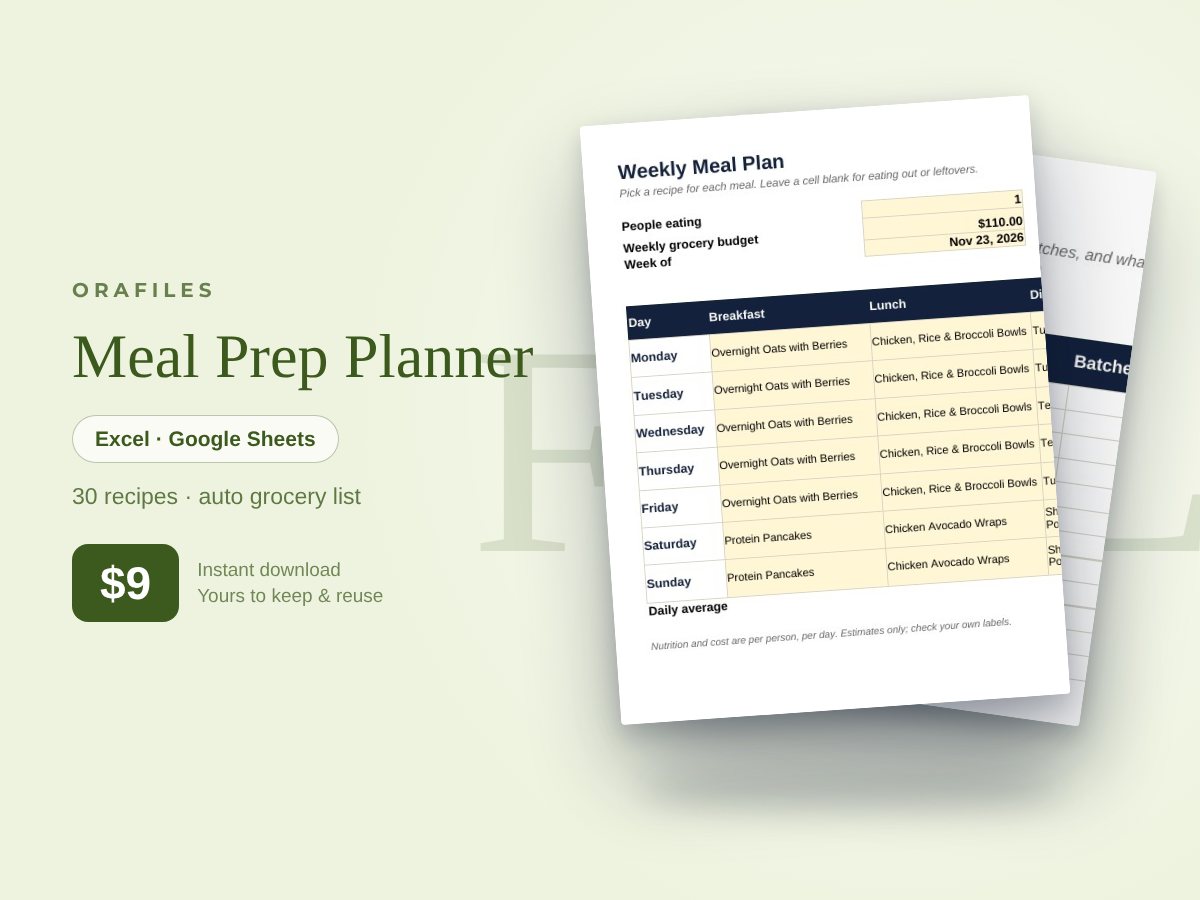
Meal Prep Planner with Auto Grocery List
Excel / Google Sheets (.xlsx) · $9 · one-time
Good to know before you buy
- •Opens in Excel, Google Sheets (free) or Apple Numbers. Easiest to set up on a computer.
- •Grocery prices are typical US estimates. Edit them to match your store.
- •Calories and macros are approximate per serving and are not medical or dietary advice.
- •Digital download. Nothing is shipped. You get the file right after checkout and by email.
- •Sales are final because files are delivered instantly, but if a file is broken or not as described, we'll fix it or refund you within 14 days. Details
Built with plain Excel formulas
- •Dropdown lists (data validation) for recipes and ingredients
- •SUMIF and INDEX/MATCH formulas for the grocery list and batch counts
- •No macros to enable, no security warnings
- •Print areas set so each tab prints cleanly
Tabs in the workbook
- •Start Here: a 5-minute how-to
- •Weekly Plan, Prep Day and Grocery List: the tabs you use every week
- •Recipes, Recipe Ingredients and Ingredients & Pantry: your library and prices
What you get
- ✓30 meal-prep recipes already loaded (breakfasts, lunches, dinners, snacks)
- ✓Weekly plan with dropdowns, daily calories, protein, carbs, fat and food cost
- ✓Auto grocery list grouped by store section, minus what's in your pantry
- ✓Prep Day sheet: batches to cook, containers to fill, what to freeze
- ✓Grocery budget tracker and cost per meal
- ✓Scales for 1 person or a whole family
- ✓Works in Excel, Google Sheets and Numbers, no macros
Frequently asked questions
What version of Excel do I need?
Any modern version of Excel (2010 or later), Excel for Mac, or Excel online. The formulas are standard, so older versions work too.
Will it work if I later switch to Google Sheets?
Yes. Upload the file to Google Drive and open it in Google Sheets.