Meal Planner for Google Sheets
Want your meal plan on every device? Open this planner in Google Sheets and your plan and grocery list follow you from laptop to phone. Share it with your partner so you can both see what's for dinner and what to buy.
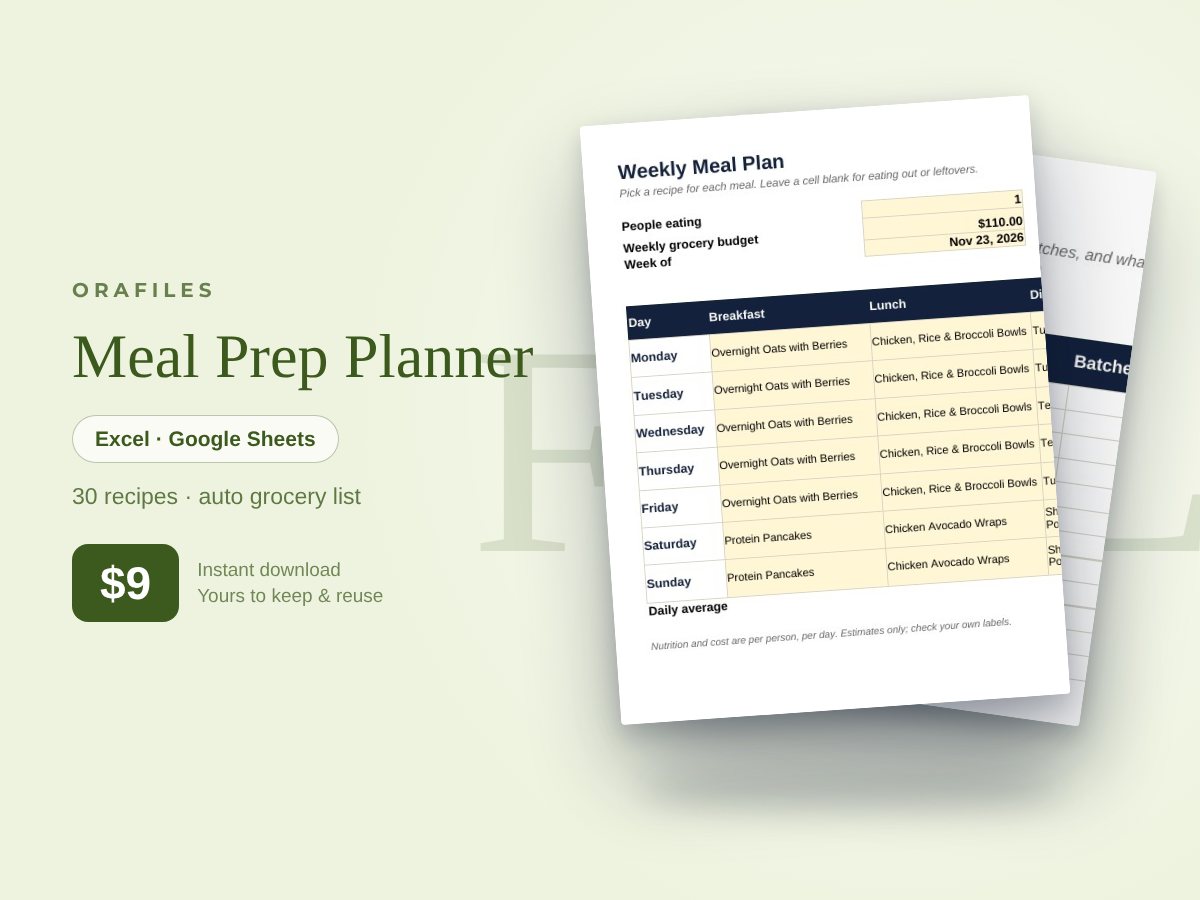
Meal Prep Planner with Auto Grocery List
Excel / Google Sheets (.xlsx) · $9 · one-time
Good to know before you buy
- •Opens in Excel, Google Sheets (free) or Apple Numbers. Easiest to set up on a computer.
- •Grocery prices are typical US estimates. Edit them to match your store.
- •Calories and macros are approximate per serving and are not medical or dietary advice.
- •Digital download. Nothing is shipped. You get the file right after checkout and by email.
- •Sales are final because files are delivered instantly, but if a file is broken or not as described, we'll fix it or refund you within 14 days. Details
How to open it in Google Sheets
- •Download the .xlsx file after checkout
- •In Google Drive, click New > File upload and choose the file
- •Open it, then File > Save as Google Sheets
- •Share it with anyone in your household
Why Google Sheets works well for meal planning
- •Check the grocery list on your phone at the store
- •Your household can edit the plan together
- •It saves automatically, so nothing gets lost
What you get
- ✓30 meal-prep recipes already loaded (breakfasts, lunches, dinners, snacks)
- ✓Weekly plan with dropdowns, daily calories, protein, carbs, fat and food cost
- ✓Auto grocery list grouped by store section, minus what's in your pantry
- ✓Prep Day sheet: batches to cook, containers to fill, what to freeze
- ✓Grocery budget tracker and cost per meal
- ✓Scales for 1 person or a whole family
- ✓Works in Excel, Google Sheets and Numbers, no macros
Frequently asked questions
Do the formulas work in Google Sheets?
Yes. The planner uses standard formulas that work the same in Google Sheets and Excel.
Do I need a Google account?
Only to use Google Sheets. It also works in Excel or Apple Numbers without one.